Nine things everyone should know how to do with a spreadsheet | Macworld

As I am starting to use spreadsheets to analyze demographic and related data, my basic knowledge of spreadsheets is being challenged. Another primer from Macworld (but applies to Excel and Google’s Sheets as well).

As I have been only using sum and average functions, these examples of other functions caught my eye:

=MAXRANGE and =MINRANGE: Return the largest and smallest values in a range. Related to these two, I also often use =RANKCELL,RANGE, which returns the rank of a given cell within the specified range.

=NOW: Inserts the current date and time, which is then updated each time the spreadsheet recalculates. In both Excel and Sheets, you need to add a set of parentheses: =NOW.

=TRIMCELL: If you work with text that you copy and paste from other sources, there’s a good chance you’ll find extra spaces at the beginning or end of some lines of text. The TRIM function removes all those leading and trailing spaces but leaves the spaces between words.

Nine things everyone should know how to do with a spreadsheet | Macworld.
Nine things everyone should know how to do with a presentation app | Macworld

Most of these are fairly familiar to people who use presentation software regularly but there is always a useful tip or two.  Tip that worked for me:

Menu commands in Google Docs, PowerPoint, and Keynote let you arrange objects by their center, top, bottom, or right/left margins. Keynote’s and PowerPoint’s Arrange menus include additional commands to distribute three or more objects top-to-bottom or side-to-side equally without affecting their positions in the other direction. A convenient option in Keynote 6.2 Arrange > Distribute Objects > Evenly spaces selected objects uniformly along an imaginary line using the objects closest to the edge of the slide as end points.

Nine things everyone should know how to do with a presentation app | Macworld.

Ten things everyone should know how to do with a word processor | Macworld

Macworld has published a useful series on the basic programs many of us use on a regular basis. Covers Apple, Microsoft and Google versions of word processing, spreadsheet and presentation software.

As will be travelling over the next few days, will post one of these articles per day for those interested.

Even though I am somewhat of a power user, particularly for word processing and presentation software (I use the Apple suite), usually learn something new from these articles.

The biggest timesaver is the use of shortcuts:

When I’m in the flow of writing, there’s nothing worse than having to lift my fingers from the keyboard, grab the mouse, and click to select, copy, cut, paste, or format text, or to save or print a document. But in most cases, my hands never actually need to leave the keys to take care of these things. I use keyboard shortcuts instead.

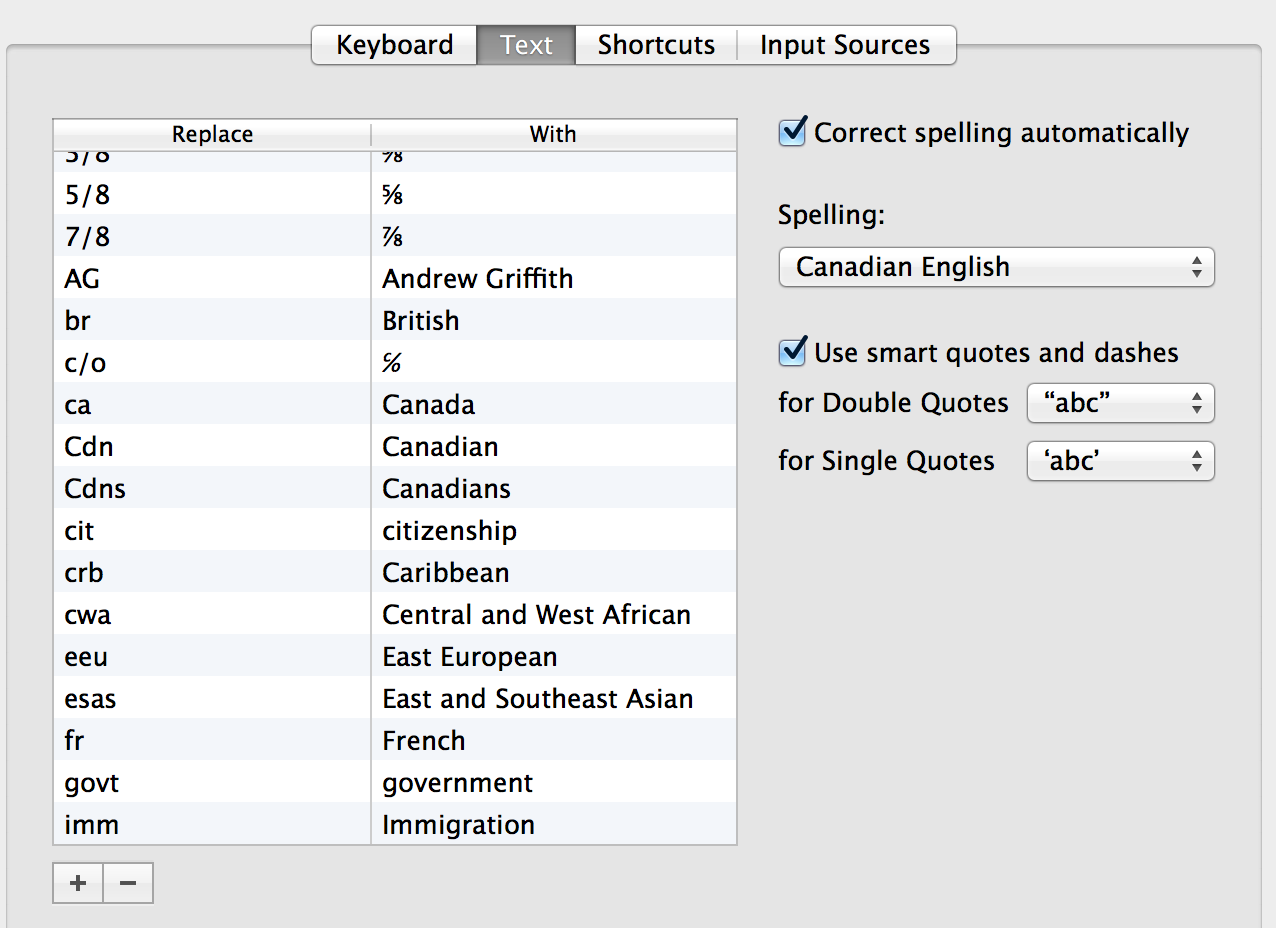
While outside word processing, I also use computer wide shortcuts for frequently used words (in my case, government, citizenship, multiculturalism, Temporary Foreign Workers etc). In the Mac world, go to System Preferences, Keyboard, Text and you will see the standard text shortcuts and can add your own.

Keyboard Text

Ten things everyone should know how to do with a word processor | Macworld.