Ten things everyone should know how to do with a word processor | Macworld
2014/07/24 Leave a comment
Macworld has published a useful series on the basic programs many of us use on a regular basis. Covers Apple, Microsoft and Google versions of word processing, spreadsheet and presentation software.
As will be travelling over the next few days, will post one of these articles per day for those interested.
Even though I am somewhat of a power user, particularly for word processing and presentation software (I use the Apple suite), usually learn something new from these articles.
The biggest timesaver is the use of shortcuts:
When I’m in the flow of writing, there’s nothing worse than having to lift my fingers from the keyboard, grab the mouse, and click to select, copy, cut, paste, or format text, or to save or print a document. But in most cases, my hands never actually need to leave the keys to take care of these things. I use keyboard shortcuts instead.
While outside word processing, I also use computer wide shortcuts for frequently used words (in my case, government, citizenship, multiculturalism, Temporary Foreign Workers etc). In the Mac world, go to System Preferences, Keyboard, Text and you will see the standard text shortcuts and can add your own.
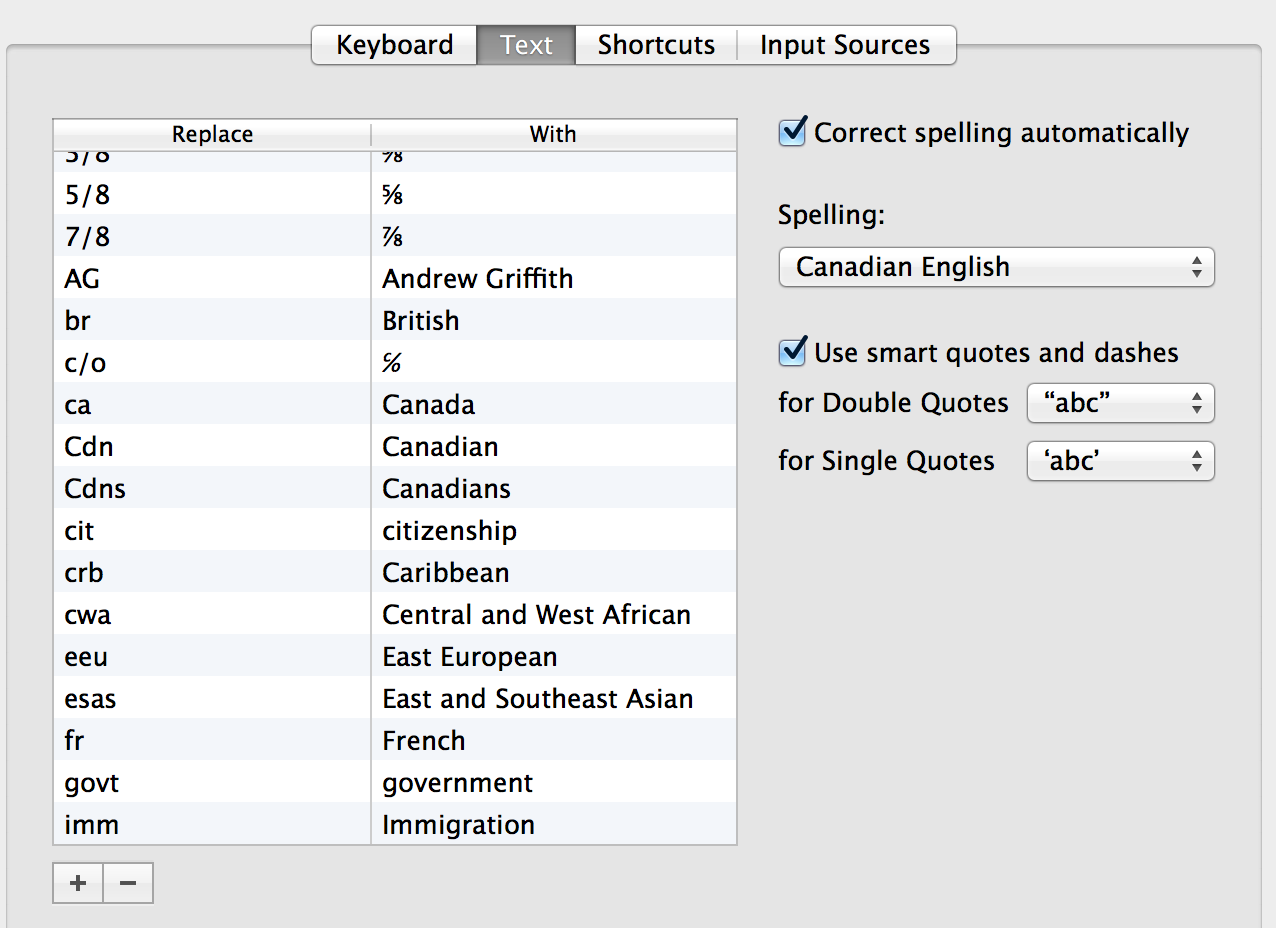
Ten things everyone should know how to do with a word processor | Macworld.

 Multicultural Meanderings